Android TV · Mobile · Windows
Your live TV, movies and series. One modern player.
Built for the big screen, with fast channel switching, remote control support and central playlist and device license management. Manage your own M3U and Xtream sources across your devices.
Get EkoTV Player for your device
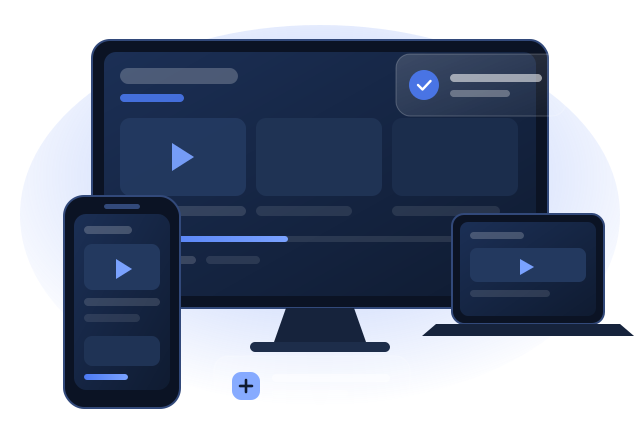
Available on Google Play for Android phones, tablets and Android TV, and on Microsoft Store for Windows. Smart TV apps are in development.
Android & Android TV
For phones, tablets and Android TV boxes. A 7-day trial starts after installation.
Windows
For Windows 10 and 11 computers. Install and receive automatic updates through Microsoft Store.
LG webOS Coming soon
Our LG TV app is being prepared for the LG Content Store. Explore the activation guide while we prepare for launch.
Samsung Tizen Coming soon
Our Samsung TV app is on the roadmap. We will announce its release here.
What is EkoTV Player?
EkoTV Player is a media player platform actively developed since 2024 and continuously improved with user feedback. Our aim is to make your TV content accessible through a simple, thoughtfully designed interface without complicated settings.
The EkoTV Player ecosystem includes apps for Android TV, mobile phones and Windows computers, a web portal for remote device management, and an administration panel. LG webOS and Samsung Tizen versions are in preparation. Connect your own M3U or Xtream playlists without needing technical expertise.
Performance, accessibility and privacy guide our development. Data is transmitted over encrypted connections, and user data is processed only as needed to provide the service.
Interface design
Smooth, focused and TV-friendly. High-contrast panels and a consistent color system make navigation comfortable.
Device management
Manage playlist and license settings for each device through the portal and management panel.
Explore the features
Everything you need for a player that works well on the big screen.
Live TV player
A full-screen experience with quick channel switching. Navigate with Android TV remote controls to access volume, channels, rewind and the electronic program guide (EPG). Sort channels alphabetically or by category and return to recently watched channels.
Movies and series library
Browse on-demand content with poster cards. Detail pages show the synopsis, genre, year and cast. Series are organized by season and episode, with viewing history to help you resume.
Playlist sync
Supports M3U and Xtream Codes. Manage playlists through the portal and sync them to your devices. Add multiple lists and enable or disable them as needed.
Device and license management
Each device generates a unique key in the app and connects through the portal. A 7-day trial starts at installation; continue with a license or an in-app purchase where available.
Parental controls
Set a 4-digit PIN in the portal. Protected adult categories require the PIN. Each device has its own PIN, which can be reset through the portal.
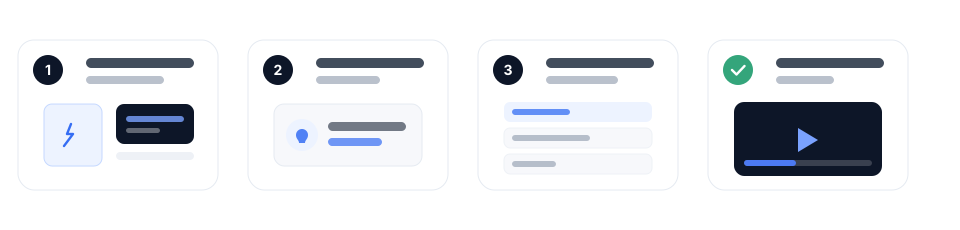
Your content hub in four steps
Getting started does not require technical expertise.
- Install the app
Install EkoTV Player on your Android TV, phone or Windows computer. A unique device key is generated when you first open the app.
- Connect your device
Sign in to the portal using the portal code or the MAC address and device key shown in the app.
- Add a playlist
Enter your M3U URL or Xtream credentials in the portal. The system processes your channel and content list.
- Start watching
Return to the app. Your channels and content will sync shortly so you can start watching.
Frequently asked questions
Is EkoTV Player free?
A 7-day trial starts at installation. After the trial, continue with a license or an in-app purchase where available.
Which devices are supported?
Currently Android phones and tablets, Android TV and Windows computers. LG webOS and Samsung Tizen apps are coming soon; an Apple iOS version is planned.
Which formats are supported besides M3U?
M3U and M3U8 playlists and the Xtream Codes API are supported. Direct file uploads are not available.
Is there a device limit?
Each device must be paired individually through the portal, so you can manage exactly which devices are connected.
How do parental controls work?
Create a 4-digit PIN in the portal. When enabled, protected categories or channels require the PIN.
How can I get technical support?
If you received your device through a reseller, contact them first. You can also contact support at selcukymz@gmail.com.
Is my data secure?
Your personal data is processed only as needed to provide the service. Communication uses encrypted HTTPS connections. See our Privacy Policyfor details.
Help and guides
Explore guidance on getting the most from EkoTV Player.
Using an Android TV remote
Navigate with the directional, back and home buttons on your remote. Find your way around the interface and its shortcuts.
Playlist management: M3U and Xtream
Understand the differences between M3U URLs and the Xtream Codes API and choose the format that suits your source.
Licenses and trials
Learn how trials work, how license time is extended and how to transfer to a new device.
Connect your device to the portal
Add playlists, manage your parental PIN and view your device. Sign in with the portal code or device details shown in the app.